
Lot51 Tuning Builder
Tuning Builder
Section titled “Tuning Builder”Lot51’s website is full of useful tools. This article focuses specifically on the Tuning Builder, which lets you easily create tuning mods and explore tuning descriptions.
New Tuning
Section titled “New Tuning”Let’s explore the UI by creating an empty Trait tuning.
- Head to tdesc.lot51.cc.
- If the sidebar on the left isn’t open, click the icon in the top left of the page to toggle it.
- Search
trait, select theTraitsfolder, then selectTraitto open a new editor tab.
The tuning builder can seem a bit overwhelming at first, so let’s take a quick tour.
User Interface
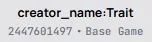
Section titled “User Interface”At the top center of the editor, you can set the name of your tuning and an optional DLC requirement. The tuning name is used to automatically generate a unique tuning ID, and should typically be CreatorName:CustomTuningName.
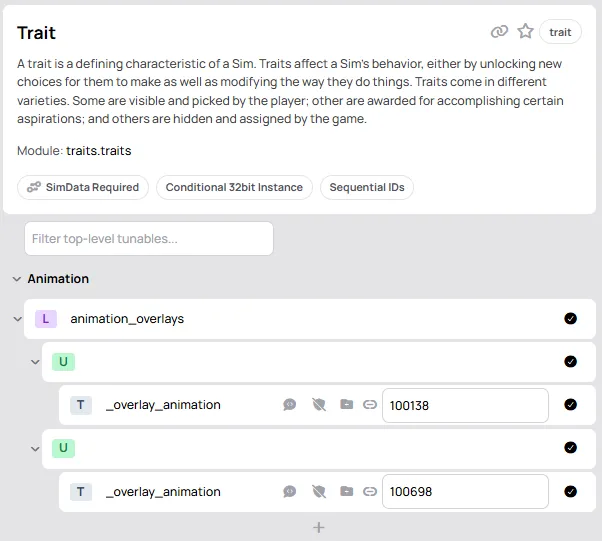
Below this is a UI for editing every possible field the current tuning supports, and on the right will be the final tuning XML. Explore the different buttons and icons. You can toggle nodes, expand list and object nodes, add values to lists, select references, and more.
If we look at the first node for a trait, we see animation_overlays has a type L for list. Expanding it, we see the list contains U nodes (objects), and each object has a single T field _overlay_animation (T is used for single values of any type).
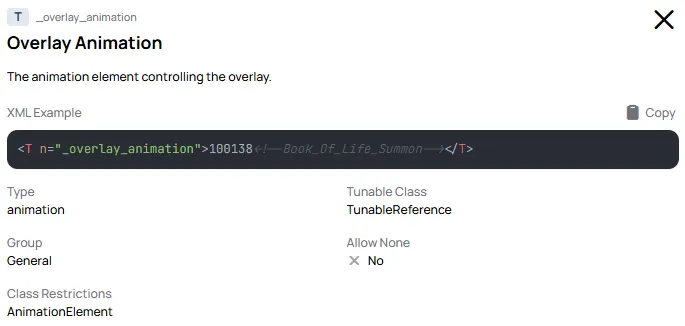
Clicking on any node will show the node’s description on the right, below the XML view.
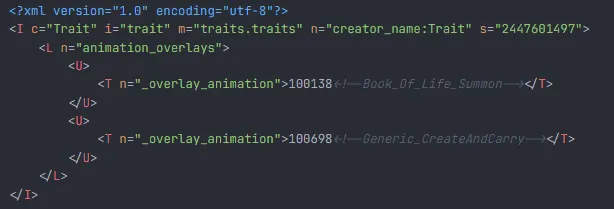
The final XML will appear on the right.
A large part of learning to create tuning mods is exploring tuning descriptions, reading about how things work, and just trying stuff out.
EA Tuning
Section titled “EA Tuning”The tuning builder also allows you to import EA tuning directly, which is great for creating overrides, or just learning how things work.
- Create a new tab on tdesc.lot51.cc by clicking
Tuning Builderin the top left. - Search
trait_ambitious(or anything else you want to explore). - Click
Imort & Edit
This will import an editable version of the tuning. It will have the original instance, meaning it will be an Override. Changing the tuning name will change it to a new instance.